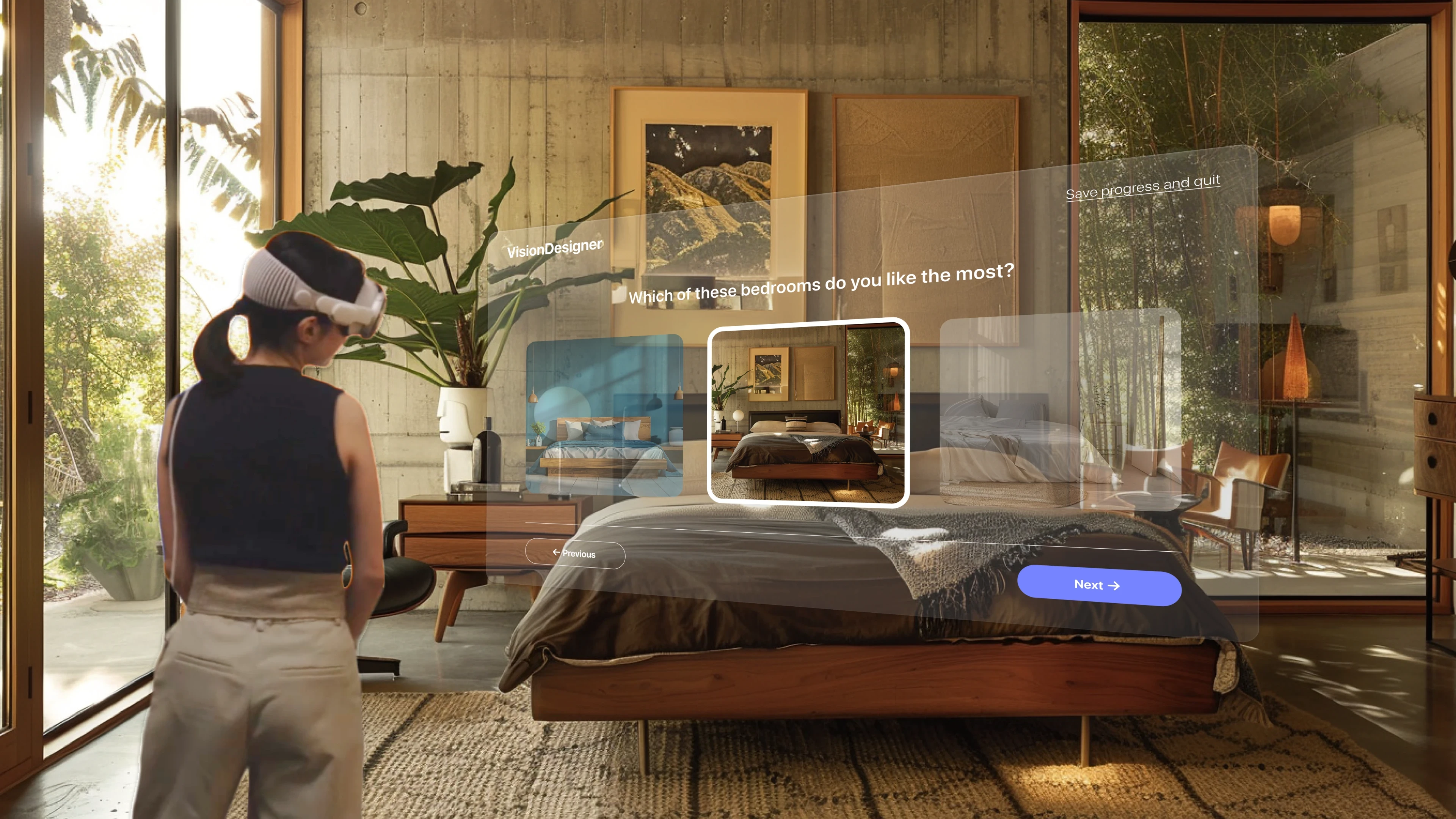
OVERVIEW
VisionDesigner is an augmented reality furniture placement experience for Apple Vision Pro that lets people see exactly how a piece fits in their space, before committing to a purchase.
By making an irreversible decision reversible, it removes the spatial commitment anxiety at the core of every furniture choice and transforms browsing intent into buying confidence.
MY ROLE
Interaction Designer
Awards Won
6+
across The Rookies, Indigo Design Awards, and Entelechy Design Awards in multiple categories.
The Problem
Most furniture decisions happen at the intersection of hope and a measuring tape. People study 2D floor plans, drag objects through bird’s-eye apps, and ultimately guess. Returns cost retailers billions annually, but the real casualty is weeks of living in a room that was decided wrong. VisionDesigner started here: what if you could be certain before anything shipped?
The Constraint
Apple Vision Pro launched with a spatial design vocabulary that was genuinely unwritten. No established patterns for room-scale AR, no precedent for furniture at 1:1 scale, and a developer community still negotiating what ‘native’ meant on visionOS. Every decision had to be invented, not adapted.
Research
User research
70%
of homeowners feel overwhelmed by the number of design options available
65%
struggle to stay within budget when designing their space
67%
prefer 3D renderings or virtual tours before committing to a decision
That preference for visualizing before deciding wasn’t just anecdotal; the data backed it across the industry too.
Industry & market
10–15%
reduction in design costs when AR/VR helps clients visualize before deciding
52%
of consumers more likely to engage with a project if it includes AR or VR
$134B
global home décor market in 2024, growing ~4% annually, with the US the largest market
Key Decision
Building exclusively for Apple Vision Pro meant giving up broad reach in exchange for the only context where the core problem could actually be solved. A phone camera can’t give you real depth. A tablet can’t give you scale. The tradeoffs were real and deliberate.
Gave up
Cross-platform reach: iOS and Android left behind
Familiar 2D UI conventions users already know
Broad accessibility across everyday devices
Fast onboarding, no new hardware to learn
Gained
True 1:1 spatial presence and precise depth perception
Gaze-driven, hands-free interaction model
Real-scale object placement in a live, physical space
The only context where certainty is actually possible
Research Insight
Testing
Moderated testing with 10 participants surfaced four KPIs spanning user experience, efficiency, and engagement. Each metric below pairs the before/after result with the design change that moved it.

KPI 01 · User Experience · Task Completion
55%
88%
Task completion rate on the primary flow
Key features must be visually prioritized; buried tools go unnoticed. Surfacing them lifted completion from 55% to 88% post-redesign.
KPI 02 · Efficiency · Time to Locate Controls
27s → 10s
Average time to find primary navigation
Navigation was buried three levels deep. Moving primary controls to a persistent spatial toolbar anchored to the user’s field of view made them instantly reachable.
KPI 03 · User Experience · Setup Success
4/10
1/10
Room-scale calibration failures
Calibration failed for 4 of 10 users. Adding a guided measurement step with clear interactive affordances cut failures to 1 of 10.
KPI 04 · Engagement · Onboarding Completion
+34%
Style quiz completion in onboarding
A visible progress indicator plus onboarding cues for shared avatar features lifted quiz completion by 34%; contextual wayfinding aids like tooltips kept users oriented.
Solution
INTERACTIVE PROTOTYPE
→
Outcome Metrics

Task completion rate in final usability round
Faster placement than 2D floor-planning tool benchmarks
Average session length in final round
Reflection
Challenges
The hardest problem wasn’t interaction; it was confidence. People could visualize furniture; they just didn’t trust their own visualization enough to commit. Designing for that hesitation, rather than for a missing skill, kept challenging my assumptions at every step.
My learnings
Every design decision was ultimately in service of building trust: real measurements, real lighting, the user’s actual room. The result wasn’t a product that taught people to design; it was one that stopped them from second-guessing themselves.
Where is VisionDesigner now?
Awards & recognition
VisionDesigner won 6 international design awards and gained recognition from designers on social media, with many saying they’d love to use it, especially college students.
Taking it further
If I were to take it further, I’d develop it more and launch it as an MVP to test with a wider user group.